Temperature very important for computer. Coz of overheat your pc can damage. Now days, modern pc have system which will cut off automatically when temperature very high or reach high level. User can set it up when system will cut off. Example, my pc will cut off when temperature reach 55°C. How ever it's up to you, you can set high or low example 45° or 90°C.
Before start, please turn off all electricity power and remove all cable from cpu, like monitor cable, power cable, keyboard, mouse or any cable attach with pc.

Take a look cpu temperature, it's show 42°C before we clean up the fan, heatsink & cpu

Take out cooler from the motherboard socket

After remove cooler from the socket

Take off frame socket from heatsink carefully

It's look like this after that

Now take off fan from heatsink
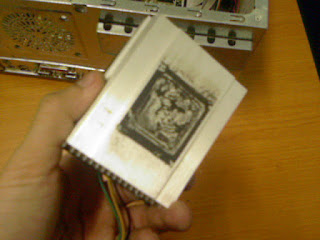
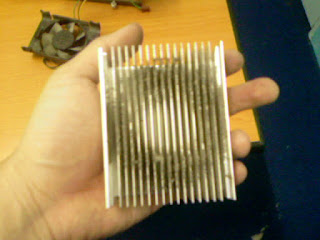

It's easy to clean up after take out all of them from heatsink



 Put back fan with heatsink and after that join back frame with heatsink together
 After finish, put heatsink with fan to the motherboard socket. Make sure it's very tight and don't forget connect the power cable back, else your fan will not running
 Now turn on you system and check the temperature reading. It's should be show less than before you clean the heatsink.


 Posts


